 digital painting software“>
What features shoudl I look for in a digital painting tool?
In today’s digital era, the world of art has been revolutionized with the emergence of digital painting software. Whether you are a novice exploring the foundations of creativity or a seasoned artist looking to refine your craft, the right tools can make all the difference. This article will delve into the best digital painting software tools available today, highlighting their features, benefits, and practical tips to help you unleash your creativity.
Why Choose Digital Painting?
Digital painting offers numerous benefits compared to traditional mediums. Here are some reasons why you might want to dive into digital art:
- Cost-Effective: Once you invest in software and hardware, you’ll save on supplies like paints, canvases, and brushes.
- Experimentation: Digital platforms allow you to try out various styles and colors without the fear of ruining a piece.
- Unlimited Space: You can create countless works without the need for physical storage.
- Easy Sharing: Digital artwork can be easily shared on social media and other platforms with just a click.
Top Digital Painting Software Tools
Here are some of the top digital painting software tools that can definitely help you bring your artistic vision to life:
| Software | Platform | Key Features | Best Suited For |
|---|---|---|---|
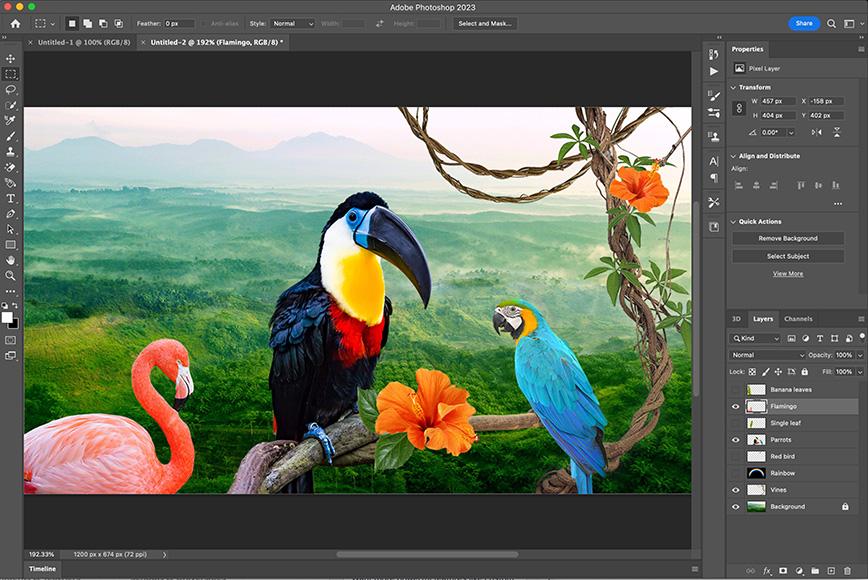
| Adobe Photoshop | Windows, macOS | Brush customization, advanced layer management, and extensive tools | Professionals and illustrators |
| Corel Painter | windows, macOS | Natural brush simulation and a wide variety of textures | Fine artists and traditional painters |
| Krita | Windows, macOS, Linux | Open-source, excellent brush engines, and stabilizers | Beginners and concept artists |
| procreate | iPad | User-friendly interface, powerful brushes, and portability | Mobile artists |
| Paint Tool SAI | Windows | Lightweight, responsive, and easy to learn | Anime and manga artists |
Benefits of Using Digital Painting Software
Choosing the right digital painting software comes with several advantages:
- Versatility: Many tools offer multiple functionalities, enabling artists to execute various styles from realistic to abstract.
- Layering: The ability to use layers allows for complex compositions without losing original elements.
- Editability: Incorrect strokes can be easily erased or undone, saving time and effort.
- Diverse Tools: Access to a plethora of brushes, textures, and color palettes enhances creativity.
Case Studies: Artists Who Have Transformed Their Work
Many artists have successfully harnessed the power of digital painting software to elevate their craft. One notable example is Lisa Congdon, who transitioned from traditional mediums to using Adobe Photoshop and Procreate to create stunning illustrations that resonate with her audience. Her work exemplifies how digital tools can impact an artist’s ability to explore new styles and connect with fans across different platforms.
Another inspiration is Kara Walker, who utilizes Corel Painter to create intricate designs and vibrant colors that challenge societal norms and perceptions. Walker’s work illustrates how digital tools can be used for deep conceptual exploration and visual impact.
Practical Tips for Getting Started with Digital Painting
Ready to dive into the world of digital painting? Here are some tips to get you started:
- Choose the Right Software: Start with user-friendly software that suits your needs and budget.
- Invest in Quality Hardware: A good graphics tablet can significantly enhance your drawing experience.
- Take Advantage of Tutorials: many online resources and communities offer valuable tutorials for beginners.
- Practice Regularly: The more you practice, the more you’ll improve. Experiment with different styles and techniques.
- Join Art Communities: Networking with other artists can provide inspiration, feedback, and support.
First-Hand Experience: My Journey Into Digital Painting
As an artist who transitioned from traditional mediums to digital painting, I can attest to the transformative powers these tools offer. Initially intimidated by the vast array of options,I found my stride using krita due to its approachable interface and rich features. After a few months of practice, I was creating digital illustrations that were on par with my traditional work, if not better!
The ability to undo mistakes and experiment with colors without physical waste liberates the creative process. I’ve also appreciated the convenience of being able to share my work instantly on various platforms, engaging with art enthusiasts around the world.
conclusion
Digital painting software tools are revolutionizing the way artists create and share their work. By selecting the right software suited to your style and needs,you can unleash your creativity and bring your artistic vision to life. Embrace the journey of digital art, connect with other artists, and continue honing your skills.Every digital stroke can lead to new opportunities, new techniques, and ultimately, an evolution of your artistic journey. whether you’re just starting or looking to enhance your experience,make the most of these transformative tools and enjoy every moment of your creative expedition!
Related Posts
-
- What features should I look for in digital painting software to enhance my creativity?…
-

<img class="vimage_class" src="https://sirgo.com/wp-content/uploads/2025/04/_QL80_.jpg8a31.jpg" alt="digital painting software">How can I choose the best digital painting software for…
-

Our market has moved from the traditional marketing approaches. Everyone is looking on online for…