What features should I look for in digital painting software?
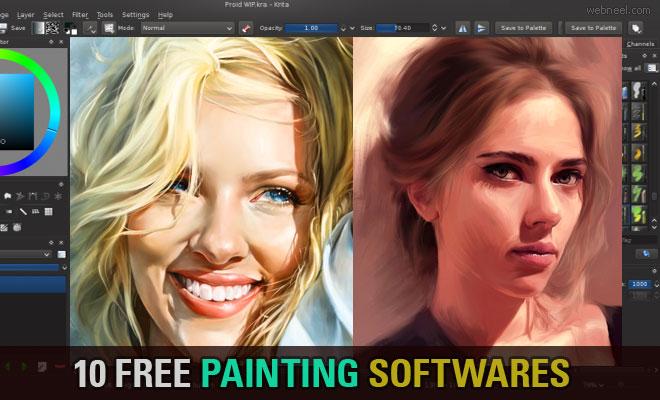
Are you yearning to create breathtaking digital art but don’t know where to start? With the advancement of technology, digital painting software has become accessible and user-pleasant, making it easier than ever to unleash your inner artist.In this complete guide, we’ll explore the best digital painting software available that can elevate your creativity and help you create stunning pieces of artwork. So grab your digital canvas, and let’s dive in!
Why Choose Digital Painting Software?
Digital painting is a modern art form that combines conventional painting techniques with digital tools, providing artists with an array of possibilities.Here are some benefits of using digital painting software:
- Flexibility: Artists can experiment with various styles without worrying about waste.
- Easy to Undo: Mistakes can be easily corrected with a click of a button.
- Endless variations: Tools and brushes can be customized to fit specific needs.
- Accessibility: Many software options cater to all skill levels, from beginners to professionals.
The Best Digital Painting Software
Below,we have compiled a list of some of the best digital painting software that can help you create dazzling artworks:
| Software Name | Key Features | Best For |
|---|---|---|
| Adobe Photoshop | Extensive brush customization,layer management,powerful tools | Professional artists and graphic designers |
| Corel Painter | Realistic brushes,textures,and customizable palettes | Artists seeking traditional look and feel |
| Procreate | user-friendly interface,vast brush library,and animation features | iPad users and illustrators |
| Krita | Open source,strong community support,professional tools | Artists looking for free options |
| Clip Studio Paint | Versatile brushes,3D models,and comic creation tools | Manga and comic artists |
| ArtRage | Realistic painting simulation with traditional media | Artists wanting a hands-on experience |
Case Studies: Success Stories of Digital Artists
Many artists have successfully transitioned to digital painting,and their stories can inspire you! Here are a few notable artists:
- Peter Mohrbacher: Known for his stunning fantasy illustrations,Peter uses Photoshop and Procreate to create his ethereal art.
- Loish: A renowned artist and animator, Loish utilizes a combination of Photoshop and other tools to make her whimsical character designs.
- Dan Luvisi: An innovative artist who blends traditional techniques with digital processes, Dan utilizes software such as Corel Painter and Photoshop.
Practical Tips to Enhance Your Digital Painting Skills
Now that you know what software to use, here are some practical tips to improve your digital painting skills:
1. Understand the Basics
Before jumping into complex techniques, familiarize yourself with basic shapes, colors, and light principles.
2. Experiment with different Brushes
Try out various brushes and tools to find your unique style. Most software provides many brush options.
3. Use Layers Wisely
Taking advantage of layers allows for better control over your artwork,making adjustments more manageable.
4. Study Other Artists
Follow your favorite artists and analyze their techniques. Online communities can offer constructive feedback and inspiration.
My First-Hand Experience with Digital Painting
As a budding artist, my journey into digital painting began with Procreate. Initially daunting, I was amazed at the possibilities available right at my fingertips. The intuitive interface allowed me to experiment and learn quickly. I started with uncomplicated still-life paintings, gradually moving towards more complex character designs. The supportive Procreate community offered endless resources, from tutorials to forums for sharing work. Eventually, I found my voice in digital art, using layers and customized brushes to create vibrant imagery.
Conclusion
Unleashing your inner artist is possible with the right digital painting software. Whether you choose adobe Photoshop for its professional-grade tools or opt for Krita as a budget-conscious option,the potential for creative expression is vast. Remember that practice is key, and don’t hesitate to seek resources and communities to sharpen your skills. The world of digital painting awaits-dive in and let your creativity flourish!
Related Posts
-
What features shoudl I look for in a digital painting tool? In today's digital era,…
-
- What features should I look for in digital painting software to enhance my creativity?…
-

<img class="vimage_class" src="https://sirgo.com/wp-content/uploads/2025/04/_QL80_.jpg8a31.jpg" alt="digital painting software">How can I choose the best digital painting software for…